Collector’s field guide · No. 01Updated August 16, 2026

CHOIL vs. Ricasso: an honest knife collection app comparison

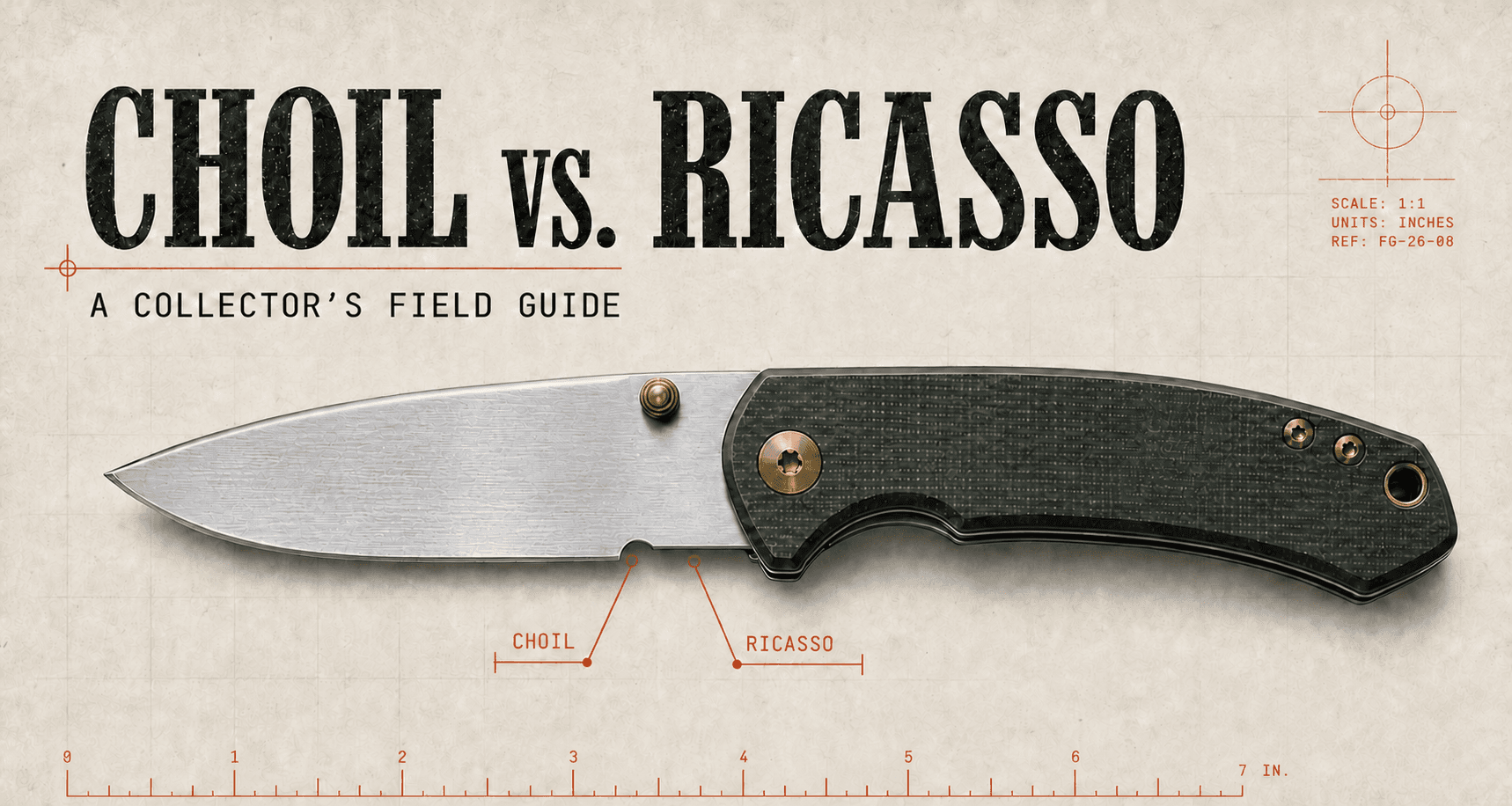
Collector’s field guide plate showing a folding knife, with the sharpening choil and ricasso correctly labeled

The source-checked read

Both apps catalog private collections, track values, generate paperwork, and support selling. CHOIL covers that same foundation, then adds sold-price intelligence, broader EDC tracking, discovery, community, provenance, live-show tools, and more ways to bring a collection in.

The 20-second answer

Choose CHOILif you want to collect out loud: discover, compare, share, trade, sell, and track more than knives.
Choose Ricassoif you want a quieter knife-first inventory with offline editing and tidy insurance or sale records.

Latest release check

CHOILv1.0.77 · Aug 11

Rapid batch intake, Best in Show, expanded manufacturer-barcode scanning, photo insurance schedules, and improved box-label printing.

Release notes ↗
RICASSOv1.5 · Aug 6

Speak to Add rebuilt with editable transcripts, fuller spec matching, confidence review, and clear labels for user, catalog, and AI-suggested data.

Release notes ↗

01 / Head to head

The feature matrix.
Checked, not guessed.

Both apps can catalog a serious collection. The difference is what they help you do after the record exists.

CapabilityCHOILCollector platformRicassoPrivate knife record
Core ideaA broad knife and EDC collector platformA focused, knife-first collection record
Free vaultUnlimited pieces with cloud sync and no feature subscription; optional AI-heavy actions use creditsUp to 75 knives, one photo each, comps on five pieces; stored locally without cloud backup
What can cost moneyOptional AI credits or Pro; cataloging, backup, sync, wishlists, Steel Matrix, and community remain freeCloud backup, capacity above 75, unlimited comps, Speak to Add, bulk import, web, eBay, and insurance; +100 spaces cost $9.99
Monthly giveawayFree U.S. members 18+ receive one entry; Pro members receive 10. Each active drawing publishes its prize and retail value; no drawing was active at this reviewNo monthly member giveaway is advertised on its current official pages
PlatformsFree web app on Mac or PC; iPhone, iPad, Android; Apple-silicon Mac and Vision compatibility; Chrome, Edge, and Safari extensionsiPhone, iPad, Android; Apple-silicon Mac and Vision compatibility; web companion on Collector
Offline useOptional read-only offline copy; editing and online tools require a connectionAdd and edit offline, then sync
Fast entryPhoto ID, voice/text description, barcode, product link, catalog, spreadsheet, rapid batch intakeUPC scan and manual entry; Speak to Add and bulk import on Collector
Organization & statusRenameable, color-coded, filterable labels can represent any collector-defined status; sub-vaults add another layer; sold has a dedicated workflowPreset active, sold, gifted, traded, lost, stolen, and archived states with disposition accounting; maker filter and five sort fields
Record identityA permanent, never-reused inventory number on every record, printable as a QR box labelA sequential RC vault number plus an RCSO serial carried onto the Bill of Sale
Value dataCompleted-sale comps, outlier filtering, median, retail anchor, confidenceActive eBay listing comps, low/median/high/average, exact-match scoring and confidence
Market toolsSnipe live price checks, Drop Watch, price alerts, model pages, Knife FinderPer-piece eBay comps and vault value tracking
CommunityOpt-in profiles, friends, messages, leaderboards, comparisons, voting, live-show toolsNo social layer; intentionally private and individual
SellingThe Case, Trading Post, eBay drafts, cross-post copy, realized P&L, provenance transfereBay publishing and marketplace-ready listings on Collector; dispositions and realized gain/loss
ProvenanceAppend-only ownership and maintenance chain with a live claim-link transfer to another collectorAppend-only piece history described as exportable; public verification registry remains roadmap
DocumentsFree Bill of Sale, insurance schedule with optional photos, and inventory labels with QR codesFree Bill of Sale; insurance valuation on Collector; CSV export on every tier
Data portabilitySpreadsheet import plus vault export from Settings; the public support page does not state the export formatCSV, XLSX, and pasted-list import on Collector; full CSV export on every tier
What it tracksKnives plus 15 other EDC categories, each with relevant specsKnives, with detailed blade and acquisition fields
Privacy posturePrivate by default; prices stay private; sharing is opt-in per itemPrivate collection with no public-profile system or advertising trackers

Features and listed pricing checked against official product and App Store pages on August 16, 2026. Price, currency, availability, and features can vary by region, platform, and plan.

02 / Where each wins

The feature gap is wide.
The fit still matters.

01

Best for the connected collector

CHOIL

Pick CHOIL if collecting is part database, part hunt, and part conversation. It covers the same connected collection lifecycle, then adds sold comps, steel analysis, drop alerts, Snipe live checks, community, provenance, live-show tools, and a selling path that starts with the piece already in your vault.

  • 127-feature product surface and unlimited cloud vault without a feature subscription
  • Tracks knives and 15 other EDC categories
  • Stronger discovery and sold-market intelligence
  • Only choice here with an opt-in community layer
  • Monthly giveaway open to qualifying free members; Pro receives 10 entries
Open CHOIL
02

Best for the private cataloger

RICASSO

Pick Ricasso if you want the software equivalent of a very good clipboard. It stays knife-specific, lets you work offline, provides ready-made disposition accounting, produces clean records, and does not ask you to turn your collection into a social profile.

  • Add and edit without a connection
  • Clear free and annual paid tiers
  • Bill of Sale free on every tier; insurance schedule on Collector
  • Purposefully private, with no social feed
Open Ricasso

03 / Complete feature inventory

Every published feature.
No cherry-picking.

Both lists use the newest official feature pages and release notes available on August 16, 2026. The comparison groups equivalent outcomes even when the apps use different names; the inventories below preserve each publisher’s terminology.

CHOIL

127 listed features

All core features free
01Vault and cataloging27
  1. Photo identification

    Photograph a piece and let AI propose the make, model, and specs.

  2. Describe to add

    Type or speak a description and receive a filled draft to review.

  3. Barcode scanning

    Reads UPC, Code 128, Code 39, ITF, and Data Matrix codes and matches maker part numbers.

  4. Rapid intake

    Keep the mobile camera open while batch-scanning barcodes and taking photos, then review once.

  5. Import from a link

    Paste a product URL and bring its specifications into a draft.

  6. Spreadsheet import

    Import CSV, XLSX, or a pasted Google Sheets link with column and unit mapping.

  7. 16 EDC categories

    Tracks knives, pens, lights, lighters, coins, watches, multitools, wallets, fidgets, prybars, and more.

  8. Category-aware specs

    Each category receives relevant fields, such as emitters for lights and movements for watches.

  9. Multi-photo upload

    Add several photos at once and choose the cover image.

  10. Blueprint spec sheets

    Renders every piece in an engineering-drawing-style record.

  11. Custom specifications

    Adds free-form fields when the factory sheet does not cover a detail.

  12. Receipt storage

    Keeps proof of purchase with the piece it documents.

  13. Acquisition records

    Tracks price paid, seller, date, shipping, tax, and order number.

  14. Permanent inventory numbers

    Assigns a stable, never-reused identifier to every record.

  15. Inventory label printing

    Prints one piece, a range, or a full vault on Avery sheets or thermal rolls.

  16. Roll-printer presets

    Stores named thermal-printer and exact-media settings, including Phomemo formats.

  17. Label PDF export

    Downloads labels in a PDF already sized for the selected sheet or roll media.

  18. QR record opening

    Scanning a private QR label opens the matching item in the mobile app.

  19. Color labels

    Color-code, rename, and filter collection labels.

  20. Sub-vaults

    Creates collections inside the main collection.

  21. Today’s Carry

    Builds a daily carry from the categories the collector selects.

  22. Duplicate a piece

    Copies an existing record for another example of the same model.

  23. 30-day recycle bin

    Keeps deleted pieces restorable for thirty days.

  24. Maintenance log

    Records oiling, sharpening, and repairs with interval reminders.

  25. Multiple wishlists

    Creates multiple lists and moves wanted pieces between them.

  26. Price alerts

    Notifies the collector when market data falls below a target.

  27. Share a piece

    Creates a public photo-and-spec link while keeping prices private.

02Valuation and market intelligence16
  1. Sold-comp valuations

    Uses completed secondary-market sales, removes IQR outliers, and writes a median.

  2. Retail anchor

    Checks valuation results against the maker’s current retail price.

  3. Portfolio ticker

    Shows total market value, invested amount, and the difference.

  4. The Marriage Saver

    Hides the entire portfolio-total card on web and mobile with one setting.

  5. Valuation confidence

    Shows how confident the system is in each estimate.

  6. Steel Matrix

    Compares edge retention, toughness, corrosion resistance, and sharpenability across 85+ steels.

  7. Drop Watch

    Monitors 200+ stores and sends restock alerts.

  8. Deal scores

    Benchmarks a current drop against sold-price history.

  9. Brand following

    Lets collectors follow makers and receive their drops.

  10. Model value pages

    Shows the real resale picture for a model from brand and piece records.

  11. Knife Finder

    Searches known models by steel, lock, size, budget, and real resale value.

  12. Recent drops

    Shows a live feed of recently listed inventory across tracked sellers.

  13. Snipe browser extension

    Checks Whatnot, eBay, or any selected web listing without leaving the page.

  14. Snipe in the app

    Places a floating price-check control over mobile live streams.

  15. Snipe Live Activity

    Keeps an iPhone price check visible without leaving the stream.

  16. Snipe history

    Keeps a record of prior price checks.

03Selling and provenance16
  1. The Case

    A members’ storefront containing pieces collectors have marked available.

  2. One-step availability

    Marks a vault piece for sale, trade, or both with an ask and short note.

  3. For Sale profile strip

    Shows available pieces on a public profile while keeping prices and history private.

  4. Trading Post

    Supports ISO, WTS, and WTT posts with a vault piece attached.

  5. eBay account connection

    Links a seller account from Settings.

  6. eBay drafts

    Builds a Seller Hub draft from the record’s photos, specs, category, and item specifics.

  7. Confirmed eBay publish

    Nothing publishes until the collector explicitly confirms it.

  8. eBay business-policy setup

    Creates missing shipping, payment, and return policies from the ship-from address.

  9. Cross-post generator

    Writes venue-specific listings for BladeForums, r/Knife_Swap, Whatnot, and Facebook.

  10. Mark sold

    Records sale price, fees, shipping, and transaction currency.

  11. Realized profit and loss

    Calculates net proceeds by piece and across sold inventory.

  12. Automatic public removal

    Removes sold pieces from public profiles and leaderboards.

  13. Provenance chain

    Maintains an append-only ownership and maintenance history.

  14. Ownership transfer

    Transfers a piece and its history to another member through a claim link.

  15. Bill of Sale PDF

    Generates a per-piece document for sharing with a buyer.

  16. Insurance schedule PDF

    Builds a full-vault schedule with values, serials, totals, optional photos, and unvalued-item flags.

04Live-selling and creator tools35
  1. Spin wheel

    Builds a branded prize wheel with custom prizes, colors, and center logo.

  2. YouTube entrant import

    Pulls entrants from a video’s comments or current live chat.

  3. One person, one slot

    Deduplicates repeated comments so one person receives one entry.

  4. Entry keyword

    Limits the pool to viewers who use a chosen opt-in keyword.

  5. Draw, then spin

    Selects a winner first and spins the wheel to assign the prize.

  6. Recent-winner controls

    Can block recent winners for a chosen period and disqualify duplicate commenters.

  7. Winners ledger

    Keeps a durable weekly record of winners and prizes.

  8. OBS browser sources

    Provides separate capture links for the full draw, wheel, and slot reel.

  9. Synchronized live animation

    Keeps the draw and wheel animation in sync on every display.

  10. Tier lists

    Builds a custom ranking board with editable rows and colors.

  11. Vault pieces on tier lists

    Adds an owned piece directly from the vault or creates one with an owner photo.

  12. Owner-photo enforcement

    Prevents catalog imagery from being published on public tier boards.

  13. Live drag-and-drop

    Moves a piece on the same private board being captured in OBS.

  14. Editable tier rows

    Renames, recolors, and reorders rows during a show.

  15. Transparent OBS output

    Removes the background so the wheel can sit directly on a scene.

  16. Tier-list image export

    Saves the completed board as a shareable PNG.

  17. Audience tier ranking

    Lets viewers rank every piece from a phone while the host talks.

  18. Instant vote saving

    Stores each audience choice without a separate submit step.

  19. Host-controlled reveal

    Keeps the audience answer sealed until the host reveals it.

  20. Audience placement marker

    Shows the crowd’s chosen tier and vote count beside the host’s placement.

  21. One vote per browser

    Uses best-effort browser limits and shows a rate meter for suspicious voting.

  22. Permanent tier-list page

    Publishes a finished board at an indexable public CHOIL link.

  23. Carry Wall

    Lets live viewers submit their own knife or EDC photo to the show.

  24. Photo-first viewer intake

    Gives viewers a no-account camera flow instead of asking for a chat description.

  25. Knife and EDC screening

    Checks submissions and deletes images that are not knives or EDC.

  26. Host approval queue

    Nothing reaches the broadcast until the host chooses it.

  27. Private moderation queue

    Keeps the review queue off the captured OBS output.

  28. Post-show deletion

    Deletes viewer submissions after the show, no later than two days.

  29. On-screen QR participation

    Shows a scannable code and chat card so live viewers can join.

  30. Reusable show logo

    Uploads a logo once and reuses it on wheel, board, and wall.

  31. This or That

    Runs two-option audience votes with custom prompts and choices.

  32. Sealed vote split

    Shows participation while hiding which choice is leading.

  33. Host-cued vote reveal

    Closes voting and animates the result when the host decides.

  34. Preloaded show queue

    Loads a sequence of matchups before going live.

  35. Stable show links

    Keeps the OBS and viewer URLs unchanged across a whole show.

05Community15
  1. Public profiles

    Shows all pieces, favorites only, or nothing, according to the owner’s choice.

  2. Per-item privacy

    Hides individual pieces and adds public notes only to selected items.

  3. Collector badges

    Awards badges for collection size, value, steel diversity, and support.

  4. Vault comparisons

    Puts two collections head to head.

  5. Comparison privacy

    Provides fourteen field-level controls for what a friend sees.

  6. AI comparison verdict

    Explains a winner and margin and creates a shareable result.

  7. Face-Offs

    Opens knife-versus-knife debates to community voting.

  8. Best in Show

    Runs a weekly owner-photo contest and awards a community ribbon.

  9. Leaderboards

    Ranks collection score, value, streaks, and hottest collections globally or among friends.

  10. Monthly giveaway

    Runs a free monthly knife drawing for eligible U.S. adult account holders.

  11. Pro giveaway entries

    Includes extra entries as a membership benefit while keeping every entry’s odds identical.

  12. Knife-show directory

    Lists exhibitors and table locations before a collector reaches the floor.

  13. Friends and invites

    Sends invitations by link or email with a personal note.

  14. Direct messages

    Supports photos and vault knife cards in private messages.

  15. Community moderation

    Includes blocking, reporting, community ban votes, and admin appeals.

06AI Curator6
  1. Ask your vault

    Answers collection questions using the owner’s actual inventory.

  2. Collection assessment

    Reviews strengths and gaps and recommends a next piece.

  3. Deep-scan identification

    Uses a premium identification pass for faint marks and blade text.

  4. Specification enrichment

    Adds factory specifications from a known make and model.

  5. Product-photo search

    Finds a clean catalog-style image when the owner photo is not suitable.

  6. Comparison judge

    Produces the reasoning behind vault-versus-vault verdicts.

07Apps, sync, and account12
  1. iPhone and Android apps

    Provides the full vault, valuation, selling, documents, and Snipe on mobile.

  2. Opt-in offline copy

    Saves vault, sold pieces, sub-vaults, carry, maintenance, labels, wishlists, and photos to one device.

  3. Read-only offline mode

    Lets collectors browse the saved copy without a connection and marks the boundary clearly.

  4. Reconnect-aware refresh

    Checks the server when the app reconnects or launches online, with a manual fallback.

  5. Pull to refresh

    Fetches web changes across vault, sold, item, photo, maintenance, trash, and wishlist screens.

  6. Knife photo editor

    Crops, rotates, flips, straightens, tunes, and filters a camera image before upload.

  7. Push notifications

    Sends message, drop, and price-alert notifications with badge counts.

  8. Email and SMS controls

    Offers per-channel notification choices while preserving account and security messages.

  9. Credits and Pro

    Keeps the 127-feature product surface available without a feature subscription while credits fund optional AI-heavy work.

  10. Gifts

    Buys redeemable AI credits or Pro time for another collector.

  11. Donations

    Accepts project support and awards a donor badge.

  12. Private by default and portable

    Keeps prices private, makes sharing opt-in, supports vault export from Settings, and provides self-serve complete deletion.

RICASSO

71 published capabilities

Free + paid tiers
01Vault and detailed records28
  1. Full-vault dashboard

    Shows the live collection and total estimated value in one view.

  2. Status filters

    Filters active, sold, gifted, traded, lost, stolen, and archived pieces.

  3. Flexible sorting

    Sorts by maker, model, value, condition, or vault number.

  4. Knife detail pages

    Keeps photos, specifications, acquisition history, and estimated value together.

  5. Personal vault numbers

    Assigns an RC-number in the owner’s sequence.

  6. Globally unique serials

    Assigns an RCSO serial that follows the piece into its Bill of Sale.

  7. Manual entry

    Creates complete knife records by hand.

  8. UPC scanning

    Uses a box barcode to prefill maker, model, and available catalog specs.

  9. Speak to Add

    Turns a spoken knife description into a proposed record on the Collector plan.

  10. Editable voice transcript

    Corrects a misheard maker or model before identification.

  11. Full spec-sheet matching

    Fills steel, lock, grind, blade shape, country, weight, and other matched fields.

  12. Source and confidence review

    Labels user-provided, catalog, and AI-suggested fields before saving.

  13. Notes fallback

    Keeps spoken details without a dedicated field in the record’s notes.

  14. Maker, model, and variant fields

    Separates the core identity of each production or custom knife.

  15. Blade specification fields

    Records steel, length, shape, edge style, grind, finish, and fixed-or-folding type.

  16. Physical specification fields

    Records overall length, weight, and country of origin.

  17. Handle and mechanism fields

    Records handle material, color, lock type, and deployment method.

  18. Acquisition record

    Stores purchase price, date, and source.

  19. Proof-of-purchase image

    Attaches receipt or purchase evidence to the knife.

  20. Box-aware condition grades

    Supports BNIB, LNIB, LN without box, and used-condition states.

  21. Photo grid

    Stores one, three, or twelve images per piece depending on plan.

  22. Photo correction

    Rotates and straightens images inside the app.

  23. Remembered custom values

    Reuses custom makers, steels, and other values after they are entered once.

  24. Copy to Drafts

    Duplicates specifications for another example while leaving photos behind.

  25. Maker filter

    Jumps directly to pieces from one maker.

  26. 1,100+ maker library

    Provides a large production and custom-maker picker.

  27. Steel Guide

    Includes a reference to fifty steels grouped into five families.

  28. MSRP and product links

    Stores retail price and a source product page with a record.

02Valuation, selling, and documents18
  1. Live eBay listing comps

    Pulls current asking-price evidence for an individual knife.

  2. Low, median, high, and average

    Summarizes the current matched listing set with four reference values.

  3. Exact-knife match scoring

    Scores listings against the owner’s exact knife rather than the name alone.

  4. Accessory and variant filtering

    Filters accessories, wrong models, and wrong versions from comp results.

  5. Comp confidence

    Shows a confidence score for each matched listing.

  6. Dismiss an incorrect comp

    Removes a bad match from the piece’s comps and calculated values.

  7. Vault total

    Adds current piece estimates into a collection total.

  8. Gain and loss tracking

    Shows value movement against acquisition price by piece and across dispositions.

  9. eBay publishing

    Publishes a Collector-tier piece to the owner’s eBay store.

  10. eBay location setup

    Creates the required eBay shipping location from a ZIP code when one is missing.

  11. Marketplace Listing Builder

    Generates venue-ready copy for BladeForums, Whatnot, Facebook Marketplace, and r/knife_swap.

  12. Free Bill of Sale

    Creates a shareable PDF tied to the piece’s RCSO serial on every plan.

  13. Insurance valuation

    Generates a whole-vault PDF value schedule on Collector.

  14. Disposition tracking

    Marks a piece sold, gifted, traded, lost, or stolen.

  15. Sale and trade records

    Keeps the counterparty, date, price, or received item with the disposition.

  16. Searchable archive

    Keeps disposed pieces searchable while removing them from live-vault totals.

  17. Realized profit and loss

    Rolls completed transaction results into the dashboard.

  18. Append-only provenance history

    Logs purchases, photos, transfers, sale states, and sales in an exportable piece history; its public verification registry remains roadmap.

03Import, export, and portability7
  1. CSV bulk import

    Brings an existing collection in from a comma-separated file on Collector.

  2. Paste-a-list import

    Accepts a copied collection list without a prepared file.

  3. Excel import

    Reads XLSX spreadsheets on Collector.

  4. Assisted column mapping

    Maps incoming columns to Ricasso fields.

  5. Steel normalization

    Cleans and standardizes steel grades during import.

  6. Reviewable import drafts

    Stages each imported row for confirmation before it joins the vault.

  7. CSV export

    Exports the complete roll on any plan at any time.

04Platforms, offline use, and privacy14
  1. iPhone app

    Runs the full mobile collection experience on iPhone.

  2. Android app

    Runs the mobile collection experience on Android.

  3. iPad layout

    Uses a purpose-built tablet layout rather than a stretched phone screen.

  4. Web companion

    Adds and edits knives, photos, and receipts in a browser on Collector.

  5. Offline add and edit

    Creates and changes records with no signal.

  6. Automatic reconnect sync

    Syncs offline changes when service returns.

  7. Local-first free tier

    Keeps the free vault on the phone.

  8. Paid cloud backup

    Adds account-linked cloud storage on paid tiers.

  9. No advertising

    Does not place ads in the collection experience.

  10. No advertising trackers

    Says it does not track users for advertising.

  11. No data sale

    Says it does not sell collection data.

  12. Per-user security rules

    Prevents another account from reading the owner’s vault.

  13. Self-serve account deletion

    Deletes an account from inside the app.

  14. In-app feedback

    Sends ideas or issues to a person through Settings.

05Plans and capacity4
  1. Free plan

    Stores up to 75 knives with one photo each and comps on five pieces.

  2. Collector-Lite

    Stores up to 150 knives with three photos each and unlimited comps for $9.99 per year.

  3. Collector

    Stores up to 400 knives with twelve photos each and unlocks advanced import, selling, web, and insurance tools for $29 per year.

  4. +100 vault expansion

    Adds one hundred spaces to a paid plan through a one-time purchase.

Measured conclusion

CHOIL covers the same connected collection lifecycle, then keeps going.

Both apps log, value, import, sell, document, and protect a knife collection. CHOIL adds broader EDC support, completed-sale intelligence, discovery, community, provenance transfer, live-auction checks, creator tools, and a 127-feature surface without a feature subscription. Ricasso’s clearest current advantages are offline writing and turnkey, value-excluding non-sale disposition states. CHOIL’s offline copy is read-only.

CHOIL publishes its own 127-feature master count. Ricasso publishes no master number, so its count here is our inventory of distinct capabilities from current public pages and release notes. Because publishers bundle and split features differently, the two numerals document coverage; they are not a like-for-like score.

04 / The meaningful differences

Same drawer.
Different jobs.

A

Market value

Sold comps and asking comps are not the same signal.

CHOIL says it grounds valuations in completed secondary-market sales, removes IQR outliers, and writes a median with confidence to each piece. Ricasso shows active eBay listings and calculates low, median, high, and average values, with match scoring to filter accessories and wrong variants. CHOIL is better for “what did it sell for?” Ricasso is useful for “what are sellers asking today?”

B

Offline

Ricasso holds the current offline-write edge.

Ricasso can add and edit records offline, then sync when service returns. CHOIL’s opt-in offline mode is read-only: saved records and photos remain viewable, but changes wait for a connection. Collectors working at rural shows or in low-signal storage should count this as a Ricasso advantage.

C

Entry and identification

Both use AI, but CHOIL offers more doors in.

Ricasso 1.5’s Collector-only Speak to Add flow can turn an editable voice transcript into a reviewed spec sheet, labeling what came from you, catalog data, or an AI guess. CHOIL accepts a photo, spoken or typed description, barcode, product URL, catalog match, spreadsheet, or rapid mobile batch scan.

D

Community and selling

CHOIL treats the vault as a starting point.

Ricasso keeps the vault individual, then helps with eBay or marketplace-ready listings. CHOIL adds a members’ storefront, ISO/WTS/WTT posts, direct messages, public profiles, comparison battles, and provenance transfers. Neither app needs to handle the payment between collectors.

E

Organization

Preset statuses are convenient. CHOIL’s labels are more flexible.

For filtering and organization, CHOIL goes further: its color-coded labels can be renamed and filtered, so collectors can recreate Ricasso’s preset views and add states such as “at the sharpener” or “loaned out”; sub-vaults provide a second layer. Ricasso’s fixed dispositions require less setup and connect gifted, traded, lost, stolen, and archived states to its accounting. CHOIL documents equivalent sold accounting, but not dedicated value-excluding behavior for every non-sale label.

F

Provenance portability

CHOIL transfers the live chain today. Ricasso’s public registry is still roadmap.

CHOIL currently keeps an append-only ownership and maintenance chain and can transfer it to another collector with a claim link. Ricasso says its current append-only piece history is exportable, but describes public chain verification, maker-signed COAs, and dealer grading as future work. That gives CHOIL the stronger working handoff today. Calling either system an open standard would go too far: neither public specification documents a platform-neutral, independently verifiable export of the complete chain.

05 / Who built them

Different résumés.
A relevant difference.

Professional background is not a substitute for testing the product, but it helps explain the scope, priorities, and operating discipline behind each app.

CHOIL · AIRGLOW, LLCTechnical and enterprise background

Patrick Sullivan

Sullivan’s public profile identifies him as CIO and partner at Flow Media Systems, leading AI-driven technology transformation. It presents a decades-long technology career that includes work with Microsoft and IBM, plus current leadership for media-company technology.

The public résumé is directly software and technology oriented. CHOIL’s 127-feature surface, web and native clients, browser extensions, cloud sync, and rapid release cadence are consistent with a maintained commercial platform, not a weekend inventory experiment.

View Patrick Sullivan’s profile
RICASSO · THISISDISCO VENTURESConsumer-product background

Alex DiSchino

DiSchino’s public profile emphasizes global product development, product marketing, and program management at SharkNinja, backed by business studies in marketing and entrepreneurship. It does not list a software-engineering role.

That is a real product-development résumé, but a different kind of one. Ricasso’s public positioning reflects it: a narrow collector workflow, strong product voice, and a deliberately constrained “serious clipboard” concept.

View Alex DiSchino’s profile

What we are not claiming: a résumé alone proves code quality, security, or reliability. We found no public statement establishing how Ricasso’s code was produced, so we do not describe it as “vibecoded.” The visible distinction is narrower and verifiable: one founder profile is explicitly technical; the other is product and marketing led.

06 / Cost

Free means
different things.

Compare the limit that matters to you, not just the download button.

CHOIL

$0

A 127-feature product surface, unlimited pieces, cloud backup, and access across web, mobile, and Mac without a feature subscription. Optional AI-heavy actions use credits.

Optional AI usage$6/mo · $48/yr Pro in the U.S., only if you choose

Some AI-heavy actions consume credits. Pro includes 100 credits each month, discounted member credit packs, and 10 entries in each monthly giveaway versus one free-member entry. A prize can exceed one month’s Pro price, but winning is chance-based, not guaranteed membership value. App-storefront pricing can vary.

RICASSO

$0

75 knives, one photo each, eBay comps on five pieces, and local storage without cloud backup.

Paid tiers$9.99/yr Lite · $29/yr Collector

Higher limits and, by tier, cloud backup, unlimited comps, Speak to Add, bulk import, web companion, eBay publishing, and insurance valuation. A one-time +100-space expansion is $9.99.

07 / Collector feedback

Reviews, with the
context left in.

Store reviews skew positive; launch threads surface more friction. These are individual experiences, not controlled tests.

08 / Collector questions

The questions
people actually ask.

01Is CHOIL better than Ricasso?

Not for every collector. CHOIL is stronger when you want discovery, real sold-price research, flexible labels, community, multi-category EDC tracking, or a path from vault to trade or sale. Ricasso currently has the edge when offline editing or ready-made value-excluding disposition states are essential.

02Which app is more private?

Ricasso is designed without a social layer, so it is the simpler choice for a collector who never wants to publish. CHOIL is private by default, keeps prices private, and lets you choose what to share per item, but it also offers public profiles and community features for collectors who opt in.

03Which app uses sold prices instead of asking prices?

CHOIL says its valuations use completed secondary-market sales, remove IQR outliers, and write a median to each piece. Ricasso currently describes comps based on active eBay listings, with low, median, high, average, match scoring, and confidence. Neither estimate is a formal appraisal.

04Can I use either knife collection app offline?

Yes, with an important current difference. Ricasso lets you add and edit knives offline and sync later. CHOIL offers an opt-in, read-only offline copy so you can browse saved records without a connection, then edit when you are back online.

05Do CHOIL or Ricasso take a cut when I sell a knife?

CHOIL’s in-community Trading Post and The Case connect members but CHOIL does not process the payment. Both apps can help create or publish an eBay listing, where normal eBay fees and policies apply.

06Does CHOIL charge for collection features?

CHOIL does not require a feature subscription for its 127-feature product surface or unlimited vault. Optional AI-heavy actions consume credits. Current U.S. CHOIL Pro pricing is $6 per month or $48 per year and includes 100 AI credits each month; member packs provide 75 instead of 60 credits for $5 and 170 instead of 140 for $10.

09 / Method and sources

How this comparison
stays honest.

CHOIL and Ricasso are two of the most visible, full-featured, purpose-built knife inventory apps available today. This comparison is rechecked whenever either product ships a material change.

We checked each claim against the companies’ own live feature pages and current store listings. We did not copy comparison copy from either company, and we did not score unreleased roadmap items as features. When official pages disagree, we favor the newer release notes or state the limitation plainly.

Last full review: August 16, 2026. If something changed, tell us at hello@bladeanatomy.com.

A small anatomy lesson

Why the names?

A sharpening choil is the small unsharpened notch between the edge and ricasso; a larger finger choil can sit at the blade-handle junction. The ricasso is the flat, unsharpened blade section between the grind and handle or guard. The exact geometry changes from knife to knife.

Explore knife anatomy
The decision point

Choose the vault
that fits your habits.

Go broad and connected with CHOIL, or stay focused and private with Ricasso. Both start free.